

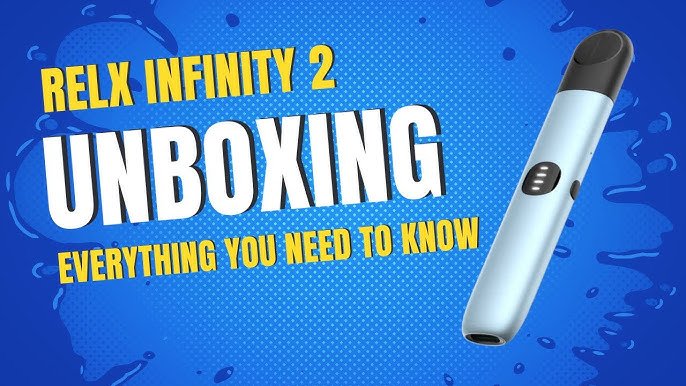
The RELX Infinity 2 is a modern pod-based electronic device designed with simplicity in mind. Unlike many electronic gadgets, it does not have a traditional reset button or reset system. This often confuses users who are used to smartphones or other electronics where resetting is a common troubleshooting step.
Instead, the RELX Infinity 2 relies on automatic systems, sensor-based activation, and basic tap controls, which means “resetting” usually refers to troubleshooting or refreshing the device’s state, not performing a true system reset.
What Does “Reset” Mean for RELX Infinity 2?
In technical terms, the RELX Infinity 2 cannot be reset in the traditional sense. There is:
- No reset button
- No software reset option
- No factory reset mode
Instead, what people call a “reset” usually means:
- Fixing a non-working device
- Clearing minor sensor or connection issues
- Unlocking or reactivating the device
According to available guides, the device is designed as a sealed, simplified system with limited user controls, so troubleshooting replaces the need for resetting.
How the Device Actually Works
To understand why resetting isn’t needed, it helps to know how the device operates.
1. Auto-Draw Activation
The RELX Infinity 2 works without buttons.
- When a user inhales, the device activates automatically
- A sensor detects airflow and triggers the heating system
2. Pod-Based System
- The device uses pre-filled pods
- The pod connects magnetically
- Proper connection is essential for functionality
3. Power Modes (Tap Control)
- The device includes different power modes
- These can be changed by tapping the device
- LED colors indicate different modes
4. Built-in Safety Systems
- Overcharge protection
- Short-circuit protection
- Auto shut-off
These features reduce the need for manual resets.
Why There Is No Reset Feature
The RELX Infinity 2 is intentionally designed to be:
- Simple to use
- Low maintenance
- Closed-system (non-modifiable)
Manufacturers remove reset options to:
- Prevent misuse
- Reduce user errors
- Protect internal components
Because of this, if something goes wrong, the device expects basic troubleshooting—not resetting.
Common Situations Where People Think They Need a Reset
1. Device Not Working
Users often think the device needs resetting when it stops working.
Common causes:
- Low battery
- Pod not properly inserted
- Dirty contacts
2. LED Light Not Responding
If the light doesn’t change or behaves strangely, it’s often due to:
- Low charge
- Sensor blockage
- Connection issues
3. Mode Not Changing
If tapping doesn’t change modes:
- Tap speed may be incorrect
- Device may be locked
- Pod may not be detected
The Closest Thing to a “Reset”
Even though there’s no real reset, people often use these actions as a “soft reset”:
1. Lock and Unlock
Some versions allow locking/unlocking by tapping quickly.
- This refreshes the device state
- It can fix minor issues
2. Remove and Reinsert Pod
- Disconnects and reconnects the system
- Helps reset the connection
3. Recharge the Device
- Power cycling can fix temporary glitches
- Charging resets internal power flow
4. Clean the Contacts
- Dust or liquid can block connections
- Cleaning restores proper function
Troubleshooting Instead of Resetting
Here’s how common issues are typically addressed:
Battery Issues
- Charge the device fully
- LED indicators show charging status
Connection Problems
- Ensure pod is fully inserted
- Clean magnetic connectors
Sensor Problems
- Clear airflow holes
- Avoid blocking the mouthpiece
Mode Issues
- Tap quickly (timing matters)
- Ensure the pod is properly connected
These steps are usually enough to fix most problems.
Important Limitations
1. Sealed Design
The RELX Infinity 2 is not meant to be opened.
- Opening it can damage internal parts
- It can also make the device unsafe
2. No Software Interface
- No apps or firmware resets
- No manual system controls
3. Limited User Control
- Designed for automatic operation
- Minimal customization
Safety Considerations
Even though this is about device function, safety is important:
- These devices contain nicotine, which is addictive
- Electronic components can fail if damaged
- Using malfunctioning devices can be risky
For younger users, avoiding nicotine products entirely is the safest choice.
FAQ
Q1: Can RELX Infinity 2 be reset?
No. It does not have a reset feature or reset button.
Q2: Why is my device not working?
Usually due to battery, pod connection, or dirt—not a need for reset.
Q3: How do I fix minor issues?
Common fixes include charging, cleaning, and reinserting the pod.
Q4: Is there a factory reset option?
No. The device is not designed with any reset function.
Q5: Can I open the device to fix it?
No. It is sealed and should not be opened.
The End
The RELX Infinity 2 does not support traditional resetting because it is designed to be simple, automatic, and low-maintenance. What many people call a “reset” is actually just basic troubleshooting, such as cleaning, charging, or reconnecting the pod.
Understanding this difference helps avoid confusion and prevents unnecessary damage to the device. More importantly, since you’re still young, it’s worth keeping in mind that these products are intended for adults, and avoiding them altogether is the safest choice.