

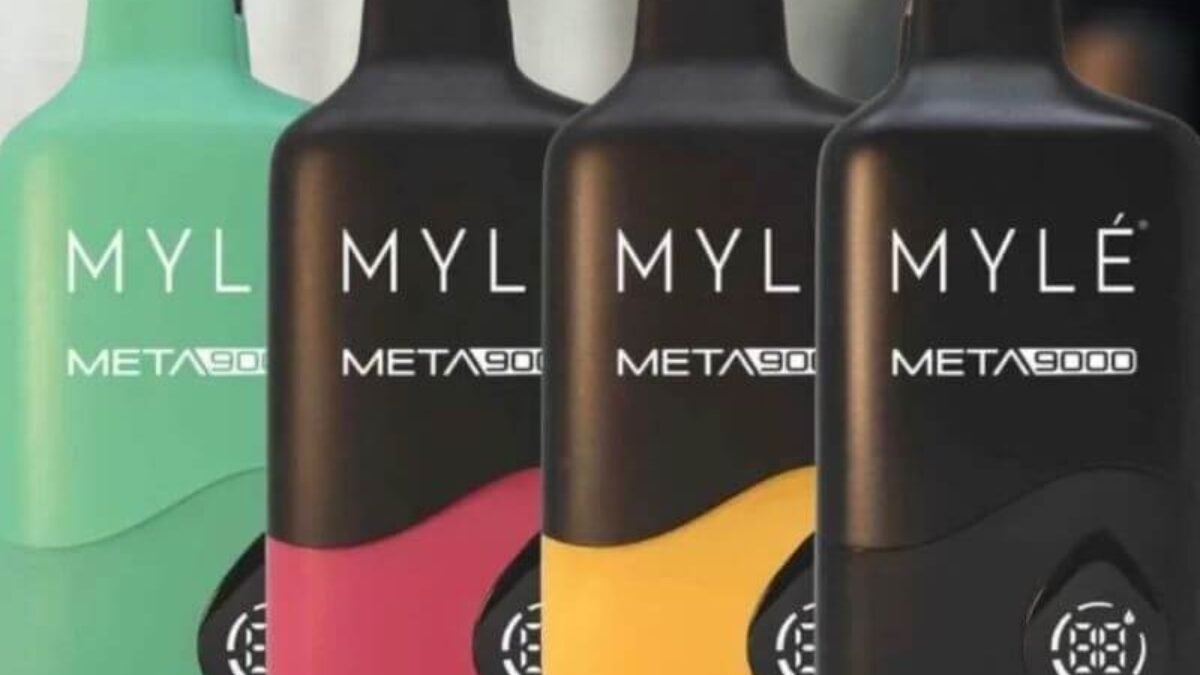
The Mylé Meta Box Device is a modern disposable vape designed for convenience, portability, and long-lasting performance. With features like a rechargeable battery, mesh coil, and high puff capacity, it offers a smooth and consistent experience. However, like any electronic device, it can sometimes develop issues such as not hitting, not charging, weak vapor, or leaking.
Most of these problems are easy to fix with simple troubleshooting. This guide will walk you through all common issues and solutions step by step.
Understanding the Mylé Meta Box Device
Before fixing any issue, it’s important to understand how the device works.
The Mylé Meta Box is:
- A disposable vape device (not refillable)
- Pre-filled with e-liquid (around 12ml)
- Equipped with a mesh coil for stable flavor
- Powered by a rechargeable battery (around 400mAh)
- Draw-activated (no buttons required)
Because of this design, most issues are related to:
- Battery and charging
- Airflow or sensor problems
- Internal coil or liquid condition
Common Problems and How to Fix Them
1. Device Not Hitting (No Vapor)
This is the most common issue users face.
Possible Causes:
- Battery is dead
- Airflow blocked
- Internal sensor not activating
- Device is empty
How to Fix:
Step 1: Charge the Device
- Connect it to a charger
- Wait 20–30 minutes
- Try again
Step 2: Check Airflow
- Look for blocked airflow holes
- Remove any dust or debris
Step 3: Take Proper Puffs
- Use slow, gentle draws
- Avoid very hard pulls
Step 4: Check if Empty
- If there’s no vapor even after charging, the e-liquid may be finished
2. Device Not Charging
Charging problems can completely stop the device from working.
Possible Causes:
- Dirty charging port
- Faulty cable
- Battery damage
How to Fix:
Clean the Charging Port
- Use a dry brush or toothpick
- Remove dust carefully
Try Another Cable
- Use a different USB cable or adapter
Check Power Source
- Plug into another outlet or USB port
Inspect LED Indicator
- Light should appear during charging
If no light appears at all, the battery may be faulty.
3. Weak Vapor Production
If the vapor is very light, the experience becomes unsatisfying.
Possible Causes:
- Low battery
- Airflow restriction
- Device nearly empty
How to Fix:
Charge Fully
- Low battery reduces vapor output
Adjust Puffing Style
- Take slower, longer draws
Check E-liquid Level
- If nearly empty, performance drops
4. Burnt Taste
A burnt taste usually means the coil is damaged.
Possible Causes:
- E-liquid finished
- Chain vaping
- Coil overheating
How to Fix:
Stop Using Immediately
- Burnt coils cannot be repaired
Replace the Device
- Since it’s disposable, replacement is necessary
Avoid Chain Vaping
- Take breaks between puffs
5. Device Auto-Firing
If the device activates without inhaling, it can be unsafe.
Possible Causes:
- Liquid inside sensor
- Internal damage
- Condensation buildup
How to Fix:
Clean the Device
- Wipe inside the mouthpiece
- Remove moisture
Let It Dry
- Leave unused for several hours
Stop Using if Persistent
- This may indicate a serious fault
6. Leaking Device
Leakage can affect performance and cause mess.
Possible Causes:
- Temperature changes
- Internal pressure buildup
- Physical damage
How to Fix:
Clean Immediately
- Wipe inside and outside
Store Upright
- Prevent further leakage
Avoid Heat
- High temperature makes liquid thinner
7. Blinking Light Issue
LED blinking indicates a problem.
Possible Causes:
- Low battery
- Internal error
- Device finished
How to Fix:
Charge the Device
- Most blinking issues are battery-related
Restart Usage
- Take a few puffs after charging
If blinking continues, the device may be at end of life.
8. Device Produces No Flavor
Sometimes vapor is present but flavor is missing.
Possible Causes:
- Coil wear
- Flavor depletion
- Old device
How to Fix:
Replace Device
- Flavor loss usually means coil degradation
Avoid Overuse
- Continuous use reduces flavor quality
Maintenance Tips
Even though the Mylé Meta Box is disposable, basic care can improve performance.
Simple Maintenance:
- Keep mouthpiece clean
- Avoid dust exposure
- Store in a dry place
What NOT to Do:
- Do not open the device
- Do not wash with water
- Do not attempt repairs
Proper Usage Tips
Using the device correctly prevents most issues.
Best Practices:
- Take slow, steady puffs
- Avoid chain vaping
- Charge regularly
- Store properly
Storage Guidelines
Storage plays a big role in performance.
Tips:
- Keep away from sunlight
- Avoid extreme heat or cold
- Store upright
- Keep in a clean environment
Improper storage can cause leakage and battery issues.
Battery Care Tips
Since the device is rechargeable:
- Do not overcharge
- Avoid using while charging
- Charge before fully drained
Good battery habits extend usability.
When to Replace the Device
Since it is disposable, some issues cannot be fixed.
Replace when:
- No vapor even after charging
- Burnt taste persists
- Battery not charging
- Device is empty
Preventing Future Problems
Follow These Habits:
- Handle gently
- Avoid dropping
- Keep clean
- Use correctly
Prevention reduces the chance of issues.
Safety Guidelines
- Keep away from water
- Do not expose to heat
- Keep out of reach of children
- Stop using if overheating occurs
Final Thoughts
The Mylé Meta Box Device is designed to be simple, reliable, and easy to use. Most problems—such as not hitting, charging issues, weak vapor, or leaking—are caused by battery problems, airflow blockage, or normal wear and tear.
The good news is that most issues can be fixed with simple steps like charging the device, cleaning it, adjusting your puffing technique, or storing it properly. However, because it is a disposable device, some problems—like burnt coils or empty liquid—require replacing the device.