

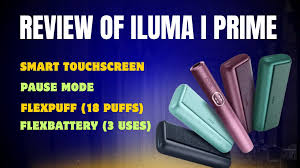
The IQOS ILUMA i Prime represents a significant step forward in tobacco-heating technology. As part of the flagship premium tier, it integrates a real-time touch screen, custom session-control metrics, and an upgraded induction heating system that removes the fragile ceramic blades found in older generations.
Navigating its touch interface, advanced battery modes, and responsive features can feel daunting at first glance. This comprehensive guide walks through everything required to set up, operate, master, and troubleshoot your device.
1. Initial Unboxing & Activating the Device
When you first unbox your device, it will be shipped in a “sleep mode” to protect the lithium-ion batteries. You must manually wake it before it can accept a charge or heat any tobacco sticks.
- Waking the System: Take the heavy fabric-and-metal Pocket Charger, look for the main physical control button on its side, and press and hold it down firmly for 4 full seconds. Release the button once the status LED light strips and the internal holder display lights begin to animate and blink slowly. This signifies the system is active.
- The First Full Charge: Even if the indicator show partial life, plug the device into a wall outlet using a compatible high-quality USB-C cable and a 10W/15W AC power adapter. Let the pocket charger fill undisturbed for roughly 135 minutes (2 hours and 15 minutes).
- Reading the Charging Pulse: The long strip lights on the outside of the casing will pulse as electricity enters the cell. If the device was completely drained, the very first light might flash yellow for a minute—this is safe and simply indicates a deeply depleted state. Once it climbs past 7% capacity, it will change to a pulsing white light. A completely solid, non-blinking set of four white bars means the charger is at 100% capacity.
2. Reading the Touch Screen and Battery Indicators
Unlike previous iterations that relied purely on tiny round dot lights, the “i Prime” generation features a dynamic, dark glass touch interface on the cylindrical holder itself. This screen reports your battery readiness at a quick glance through sharp LED symbols:
| Indicator on Screen | Current Meaning / Device State |
| Two Solid Dashes (=) | The holder is fully charged and ready for 2 consecutive uses back-to-back. |
| One Solid Dash (-) | The holder has enough battery remaining for 1 final use. |
| Flashing Number “0” | The holder’s internal cell is depleted. It must be dropped back into the pocket charger. |
| Flashing Letter “E” | The device has encountered an operational error and requires a hard system reset. |
Pro Tip: To quickly check your remaining usage without waking up the heating core, you can utilize the gesture feature. Simply tilt the holder towards your face or tap the touch screen five times quickly to illuminate the current dash count and check your screen brightness levels.
3. Step-by-Step Guide to Your First Session
The ILUMA platform relies exclusively on induction-ready SMARTCORE STICKS. Traditional HEETS or older third-party tobacco sticks featuring exposed tobacco at the base will not function and can damage the interior because this device uses no internal heating blade.
1.Verify Holder Readiness:Check the LED panel.
Remove the holder from the pocket charger. Confirm that either one or two light dashes are glowing brightly on the screen to ensure the battery is prepped.
2.Insert the SMARTCORE Stick:Push down smoothly.
Slide the stick straight down into the top chamber opening. Align it carefully until the printed line on the stick’s paper filter meets the physical edge of the metal holder rim.
3.Initiate the Autostart:Wait for the vibration.
The device features built-in sensor detection. Once the stick is completely down, it will automatically register the internal metal element and begin preheating, marked by a first vibration while the screen lights begin to pulse. (If it fails to trigger, manually swipe your thumb UP across the touch panel to activate it).
4.Begin the Experience:After the second vibration.
The preheating cycle takes roughly 20 seconds. Once the holder vibrates a second time and the light ring around the touch interface stabilizes into a fixed glow, you can begin drawing from the filter.
4. Utilizing Advanced Screen Gestures (Pause & FlexPuff)
The core upgrade of the “i” series is its interactive capability, giving users real-time control over their consumption pacing.
Pause Mode
If you need to briefly step away during a session, you can pause the heating cycle to preserve your tobacco stick.
- To Activate: During the first 3 minutes or within your first 8 puffs, swipe your finger DOWN across the entire length of the touch display. The holder will vibrate, and four vertical lines will appear on the display, indicating a successful pause.
- Duration: The pause can hold for a maximum of 8 minutes. If you do not return in time, the holder shuts down automatically to prevent battery drainage.
- To Resume: Swipe your finger UP across the screen. The device will run a short re-heating cycle and vibrate to alert you that it is safe to resume.
- Limitations: Pause mode is only available if you are running the device on standard Performance Mode, and it can only be triggered once per stick.
FlexPuff Technology
The device features an automated usage tracking algorithm that measures your drawing speed and volume. If you take lighter, faster puffs, the system may automatically reward you with up to 4 extra puffs near the end of your session, extending your total window. This feature acts autonomously and will illuminate a specific pattern on the light guide when triggered. Note that if you use Pause Mode on a stick, FlexPuff is automatically disabled for that specific session.
5. Managing Your FlexBattery Settings
The system allows users to prioritize either session frequency or absolute battery lifespan. Changing these profiles requires mapping the device via bluetooth to the brand’s software suite, or requesting a manual toggle at an official product kiosk.
- Performance Mode (Default): This profile configures the holder to give you up to 3 consecutive experiences back-to-back without needing to drop it into the pocket charger casing (provided you don’t engage Pause mode). If you use Pause mode during one session, the consecutive limit drops to 2 uses.
- Eco Mode: This setting locks the holder down to exactly 1 experience per extraction. It completely disables Pause capabilities. The benefit of Eco Mode is longevity; it alters the internal charge curve parameters to extend the overall life cycle of the lithium holder battery cells by up to a full year.
6. Maintenance, Cleaning, and Troubleshooting
Because the smartcore system encapsulates the heating element completely inside each individual disposable stick, no loose tobacco falls into the chamber. Consequently, the constant brushing, scraping, and soot extraction required by older generations is completely eliminated. However, basic electronic care remains vital.
General Upkeep
Keep the metal charging contact rings at the very bottom of the holder perfectly clean. Use a dry cotton swab to wipe away grease, pocket lint, or moisture every few weeks. If dust blocks these rings, the pocket charger won’t recognize the holder, or it will refuse to transfer current efficiently.
Visual Error Codes
- Double White Blink: If the holder blinks white twice and shuts down, it is telling you it has strayed outside its safe operational temperature boundaries (0°C to 40°C). If you are outdoors in winter freezing conditions or leaving the device on a dashboard in direct summer sunlight, move it to a mild room-temperature environment for ten minutes before trying again.
- Solid Yellow Light: This indicates the holder is completely flat out of power. Simply slide it back down into the charger sleeve until it connects with a magnetic snap.
How to Execute a Full Factory Hardware Reset
If your touch screen freezes, displays a static “E” code, or the pocket charger stops animating altogether, a system crash has likely occurred. You can easily clear this with a manual reset:
- Insert the cylindrical holder completely inside the Pocket Charger sleeve.
- Press down and hold the main physical button on the side of the Pocket Charger.
- Keep the button depressed for 10 uninterrupted seconds.
- Watch the light bars: all status indicators will abruptly turn off completely, then blink back onward simultaneously to confirm the firmware has successfully rebooted.