

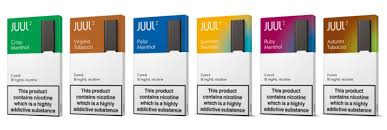
JUUL devices are compact, simple, and popular, but like any electronic device, they can develop issues over time. Whether your JUUL is not hitting, not charging, leaking, or blinking strangely, most problems can be fixed with a bit of troubleshooting.
Before starting, it’s important to understand that JUUL devices are not designed to be heavily repaired. Many fixes are simple cleaning or resetting methods. If the device is seriously damaged, replacement is usually the safest option.
Common Problems with JUUL Devices
Understanding the issue is the first step toward fixing it. Here are the most common problems users face:
- Device not charging
- Device not hitting (no vapor)
- Weak or inconsistent hits
- Pod not recognized
- Leakage or spit-back
- Blinking light errors
Each of these problems has specific causes and solutions.
1. JUUL Not Charging
Possible Causes
- Dirty charging contacts
- Faulty charger
- Dead battery
- Internal damage
How to Fix It
Clean the Charging Contacts
One of the most common issues is dirt or residue blocking the connection.
Steps:
- Take a dry cotton swab or tissue
- Gently clean the metal contacts at the bottom of the device
- Also clean the charger contacts
- Try charging again
If needed, lightly dampen the swab with a tiny bit of rubbing alcohol and let it dry completely before charging.
Check the Charger
Sometimes the problem is not the device.
- Try a different USB port
- Use another charger if available
- Avoid cheap or damaged cables
Adjust the Device Position
Sometimes the JUUL does not sit properly on the charger.
- Place it firmly
- Rotate it slightly
- Ensure the LED turns on
Battery May Be Dead
If your device is old and no longer holds charge, the battery might be worn out. JUUL batteries degrade over time and cannot be replaced easily.
2. JUUL Not Hitting (No Vapor)
Possible Causes
- Blocked airflow
- Dirty contacts
- Pod not connected properly
- Sensor issue
How to Fix It
Clean the Contacts
Just like charging issues, connection problems can stop the device from firing.
- Remove the pod
- Clean inside the device gently
- Clean the bottom of the pod
Tap the Device Gently
Sometimes air bubbles or liquid block airflow.
- Lightly tap the device against your hand
- Do not hit it hard
Blow Through the Device
This helps clear airflow pathways.
- Remove the pod
- Blow gently through the top
- Wipe any moisture
Check the Pod
Sometimes the issue is not the device.
- Try a different pod
- Ensure it is properly inserted
3. Weak or Inconsistent Hits
Possible Causes
- Low battery
- Old pod
- Air bubbles in liquid
- Coil wear
How to Fix It
Charge the Device Fully
Low battery reduces vapor production.
Remove Air Bubbles
Air bubbles can block liquid from reaching the coil.
- Tap the pod gently
- Let it sit for a few minutes
Use a New Pod
Pods wear out over time. If the flavor is weak or burnt, it’s time to replace it.
4. JUUL Pod Not Recognized
Possible Causes
- Dirty connectors
- Pod misalignment
- Damaged pod
How to Fix It
Clean Everything
- Clean inside the JUUL
- Clean pod connectors
Reinsert the Pod
- Remove and reinsert firmly
- Make sure it clicks into place
Try Another Pod
If one pod doesn’t work, test with another. If the second works, the first pod is defective.
5. Leakage Problems
Possible Causes
- Damaged pod
- Overuse
- Temperature changes
How to Fix It
Remove Excess Liquid
- Take out the pod
- Wipe the inside of the device
- Clean the pod base
Avoid Overheating
Heat can thin the liquid and cause leaks.
- Keep device away from direct sunlight
- Avoid leaving it in hot places
Replace the Pod
Leaking pods are often not fixable.
6. JUUL Blinking Lights (Error Signals)
JUUL devices use LED signals to show status.
Common Meanings
- White light: Normal use
- Green light: Fully charged
- Yellow light: Medium battery
- Red light: Low battery
Blinking Issues
Blinking White
- Pod connection issue
- Clean contacts and reinsert pod
Blinking Red
- Battery problem
- Charge immediately
No Light at All
- Dead battery
- Device may be damaged
7. Deep Cleaning Your JUUL
Regular cleaning can prevent most problems.
What You Need
- Cotton swabs
- Tissue
- Small amount of alcohol (optional)
Steps
- Remove the pod
- Clean inside the device
- Clean charging contacts
- Let everything dry
- Reassemble
8. Preventive Tips
Fixing problems is helpful, but preventing them is even better.
Keep It Clean
- Clean weekly
- Avoid liquid buildup
Store Properly
- Keep upright when possible
- Avoid extreme temperatures
Don’t Overuse
- Continuous use can overheat the coil
Use Genuine Pods
- Poor-quality pods can cause issues
9. When to Replace the Device
Not all JUUL problems can be fixed. Consider replacing your device if:
- It doesn’t charge at all
- No LED response
- Severe internal damage
- Battery drains instantly
JUUL devices are designed for simplicity, not long-term repair.
10. Safety Considerations
Even though fixing small issues is okay, always prioritize safety:
- Do not open the device
- Do not tamper with the battery
- Avoid water exposure
- Do not use damaged chargers
If something seems unsafe, stop using the device.
Conclusion
Fixing a JUUL device is usually simple and involves cleaning, checking connections, and replacing pods. Most problems—like not charging, weak hits, or leakage—can be solved without technical repair.
However, it’s important to recognize the limits of the device. JUULs are not built for deep repairs, and trying to force a fix can make things worse or unsafe.
Regular maintenance, proper usage, and careful handling can significantly extend the life of your device and reduce issues.